
Skip to content

Flow · Rise-style lessons · Available

Responsive lessons built from blocks.

Flow is for lessons that read well on any screen. Stack blocks, add knowledge checks and scenarios, and apply a theme. The layout reflows for phones automatically.

Status today
Available
Status today
Capabilities
6
Capabilities

Responsive, Rise-style lessons built from 30 kinds of text, media, interactive and knowledge-check blocks.

A Flow lesson built from a paragraph and a tabs block, previewed in the learner player on a desktop and then reflowed on a phone.

The real product

Flow, as you would use it.

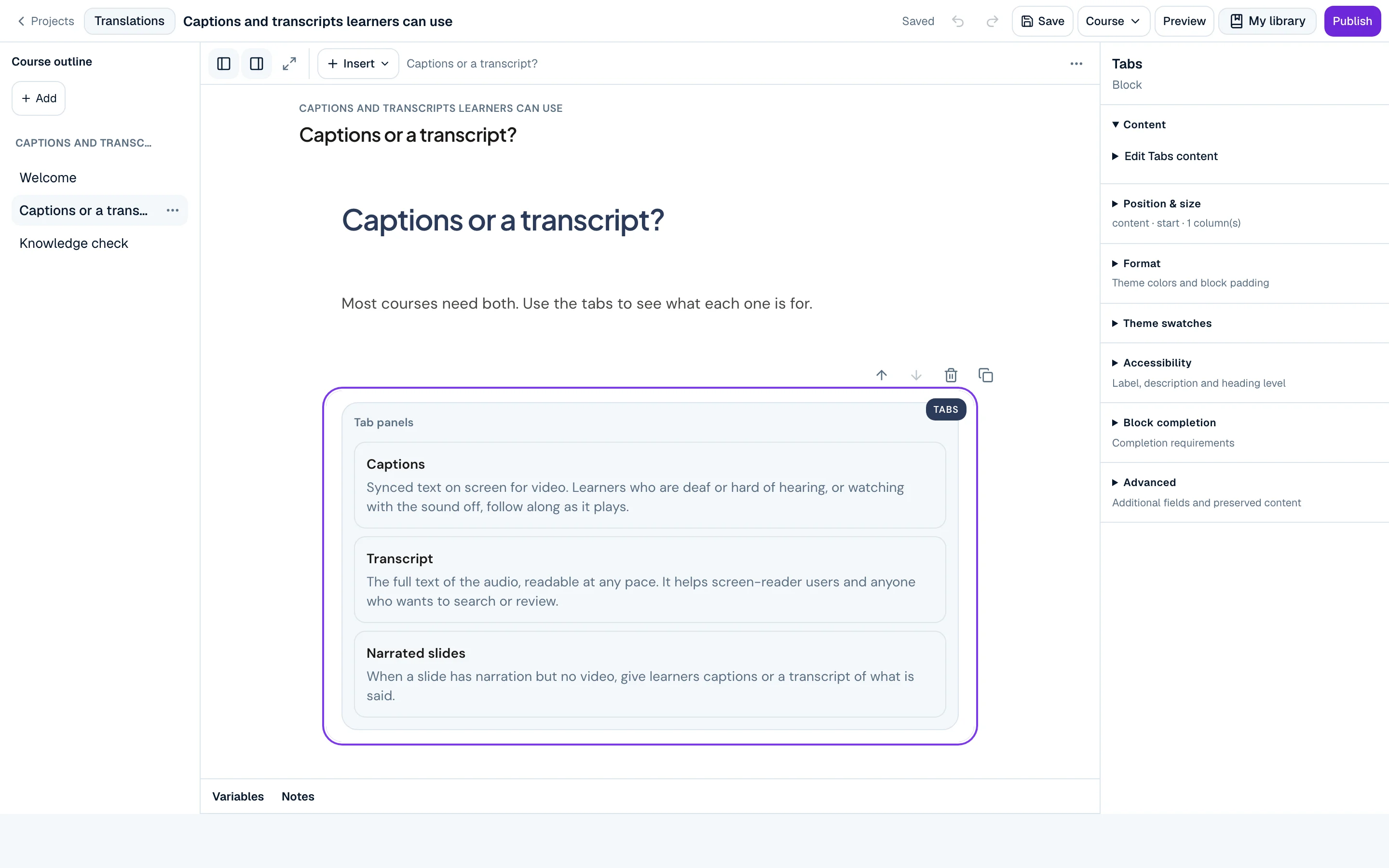
Allure Create Flow editor showing the lesson “Captions or a transcript?” with a tabs block for captions, transcripts and narrated slides.

The Flow editor on “Captions and transcripts learners can use”: the course outline, a lesson built from a paragraph and a tabs block, and the block inspector.

Capabilities

What you can do

  • Lesson blocks

    Available

    Headings, paragraphs, lists, quotes, images, galleries, audio, video, tables, embeds and attachments.

  • Interactive blocks

    Available

    Accordions, tabs, labelled graphics, process, timeline, flashcards, carousels, scenarios and branching choices.

  • Knowledge checks

    Available

    Inline questions with feedback, and continue gates that wait for an answer.

  • Interactive video

    Available

    Video with markers and in-video interactions, in courses on the new learner player.

  • Themes

    Available

    Course themes for colour, type and spacing, and built-in player themes.

  • Learner preview

    Available

    Preview the learner experience in the same player your learners use.

Honest limits

What to know before you rely on it

  • Flow lessons reflow, so there is no pixel-exact layout. Use Canvas when position and timing matter.

Status and plans

Status
Available On in the current public release
Source
The shipped public release profile. This page lists only capabilities that are on today.
Plans
Available capabilities are in Create Free unless a limit says otherwise. See plans

Your next step

Try Flow on a real course.

Start on the free plan: the full core editor, learner preview, 3 active projects, 3 Storyline imports a month and 5 SCORM test packages a month.